
Key takeaways
- A boosted post amplifies existing organic content with a budget, while a social ad is built from scratch in Ads Manager with more targeting, placement, and objective options.
- Boosted posts work best for quick engagement wins and content testing. Social ads are better for lead generation, conversions, and A/B testing.
- You can (and often should) use both together as part of a unified paid social strategy.
- Hootsuite lets you manage boosted posts and full ad campaigns across Facebook, Instagram, and LinkedIn from one dashboard, with automated boosting triggers and cross-platform ROI reporting.
What is a boosted post?
A boosted post is simply a social post to which you add some advertising dollars in an effort to expand its reach or increase engagement. All you have to do is choose a few simple targeting options and add a budget.
A boosted post looks almost exactly the same as regular organic content. Except, it will have a “sponsored” or “promoted” label in the viewer’s social media feed. It may also have a clickable call to action (for website clicks or messaging) that does not appear in the original organic post.
Boosted posts can include text, images, and video. They’re available on Facebook, Instagram, LinkedIn, and TikTok (where the feature is called “Promote”).
For example, here’s an organic Reel from Understance’s Instagram page:

And here’s how that same Reel appeared as a boosted post in my Instagram feed:
Source: @understance_
Note the Sponsored label at the top and Shop Now CTA link. Otherwise, the two posts are identical.
There are two options when creating a boosted post:
- Add budget to an existing post that is performing well.
- Create a new post specifically to boost it (rather than sharing it first as an organic post). This allows you to take advantage of the ease of creating a boosted post while also building specifically promotional content that might not be effective as an organic post.
A social ad is any content you pay to distribute to a specific audience on social media.
Boosted posts are technically a form of social ad, but they are the most basic form. All other social ads are created from scratch in your selected platform’s ad management tool, such as Meta Ads Manager or LinkedIn Campaign Manager.
The process is essentially the opposite of creating a boosted post: instead of starting with content and applying a budget and goal, you start with a goal and budget and then build your creative.
That creative can take many forms. Meta alone offers carousel ads, video ads, Stories ads, lead form ads, collection ads, and dynamic product ads. LinkedIn adds conversation ads, message ads, and document ads to the mix. Each format, from Instagram Stories ads to LinkedIn conversation ads, is designed for a specific objective and placement, giving you far more flexibility than a boosted post.

Source: Meta Ads Manager
What is the difference between a boosted post and an ad?
The core difference comes down to control. A boosted post is a quick, simplified way to put money behind content that already exists. A social ad is a fully customizable campaign built from the ground up. Here’s how they compare across the dimensions that matter most:
|
Feature |
Boosted post |
Social ad |
|---|---|---|
|
Starting point |
Existing organic post |
Built from scratch in Ads Manager |
|
Objectives |
Engagement, reach, profile visits, link clicks, lead generation (LinkedIn only) |
All of the above plus sales, app installs, store traffic, website conversions |
|
Targeting |
Basic demographics, interests, location |
Custom audiences, lookalike audiences, retargeting, exclusion lists |
|
Placements |
Feed only (Facebook, Instagram, LinkedIn) |
Feed, Stories, Reels, Messenger, Audience Network, LinkedIn Message Ads, and more |
|
Creative control |
Limited to original post format |
Full control over format, copy, CTA, and creative variations |
|
Ad formats |
Single image, video, or carousel (platform-dependent) |
Carousel, video, Stories, lead forms, collection, dynamic product ads, and more |
|
Reporting |
Basic metrics (reach, engagement, clicks) |
Full conversion tracking, attribution, demographic breakdowns, A/B test results |
|
Complexity |
Low (minutes to set up) |
Higher (requires Ads Manager knowledge) |
|
Best for |
Amplifying top content, quick engagement wins, testing |
Lead gen, conversions, retargeting, scaling campaigns |
The sections below break down the most important differences in more detail.
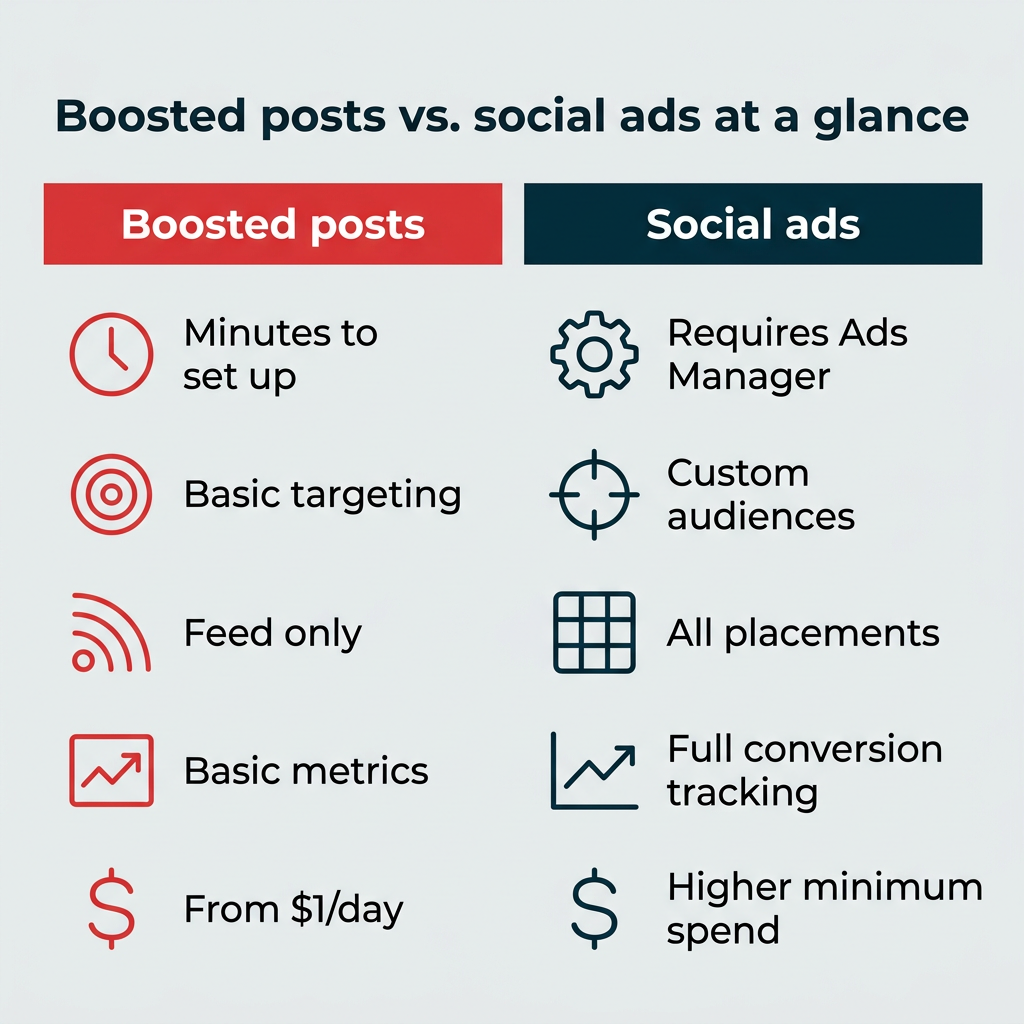
How targeting differs
Boosted posts let you target by location, age, gender, and interests. That’s enough to reach a broad relevant audience, but it doesn’t give you much precision.
Full social ads unlock significantly more powerful targeting. In Meta Ads Manager, you can build custom audiences from your website visitors, email lists, or app users. You can create lookalike audiences based on your best customers. And you can use exclusion lists to avoid showing ads to people who have already converted. LinkedIn Campaign Manager offers similar capabilities, including account-based targeting by company name, job title, seniority, and industry.
How ad placements differ
When you boost a post, it appears in the feed and that’s about it. On Meta, boosted posts are limited to the Facebook mobile feed, Facebook desktop feed, and Instagram feed.
Full ad campaigns open up a much wider range of placements. Here are some that are only available through Ads Manager or Campaign Manager:
- Instagram Stories and Reels
- Facebook Marketplace
- Facebook right column
- Messenger inbox and sponsored messages
- Meta Audience Network (ads on third-party apps and sites)
- LinkedIn Message Ads and Conversation Ads
- LinkedIn Audience Network
More placements mean more opportunities to reach your audience where they’re already spending time.
How reporting and optimization differ
Boosted posts give you surface-level metrics: reach, impressions, engagement, and link clicks. That’s useful for tracking basic social media metrics, but it won’t tell you much about business outcomes.
Social ads created in Ads Manager provide full conversion tracking, pixel-based attribution, and detailed demographic breakdowns of who engaged with your ad. You can also run A/B tests to compare creative, audiences, and placements, then let the platform optimize toward your best-performing variation. For example, look at the demographic reporting available for a LinkedIn ad campaign:

Source: LinkedIn
In short, boosted posts tell you what happened. Social ads help you understand why and optimize what happens next.
What are the pros and cons of boosted posts?
Each of these social advertising strategies has its own advantages and disadvantages. Here’s what you need to know about the good and bad of using a boosted post vs. ad on Facebook, Instagram, or LinkedIn.
Pros of boosted posts
When you notice an organic post is performing particularly well, you can convert it into a boosted post with just a few clicks or taps.
Boosted posts are the easiest and most user-friendly way to start advertising on social platforms. You don’t need any extra design, copywriting, or strategy skills beyond what you used to create the organic content.
There’s another advantage that’s easy to overlook: boosted posts preserve social proof. All the likes, comments, and shares from the original organic post carry over, which can make the promoted version feel more credible to new audiences.
Cons of boosted posts
Boosted posts offer limited advertising objectives. On Meta, the ad objectives for boosted posts are:
- Post engagement
- Thruplays (for video posts)
- Profile visits
- Link clicks, or
- Messaging conversations started.

Source: Instagram
On LinkedIn, there are a few more objective options for boosted posts:
- Brand awareness
- Video views
- Post engagement
- Website visits
- Events, and
- Lead generation.
While LinkedIn boosted posts now support lead generation, objectives like website conversions and job applicants are still only available through ad campaigns created in Campaign Manager. On Meta, conversion-oriented objectives like leads and sales remain unavailable for boosted posts.
Another con is that you have limited ad placement choices. With Meta boosted posts specifically, you can only choose placements in Instagram, Facebook mobile feed, and Facebook desktop feed.
Reporting is also more limited. You’ll see basic reach and engagement metrics, but you won’t get the conversion tracking, attribution data, or demographic breakdowns available through full ad campaigns.
And there’s one more con that iOS users should be aware of. iOS users have to pay a 30% service fee on boosted ads created within the Instagram and Facebook iOS apps.
You can avoid these fees by boosting posts from a desktop browser, by adding prepaid funds to your ad account, or by boosting posts using a tool like Hootsuite. But this change makes it significantly less convenient to boost posts directly within the social apps, at least for iOS users.
Now let’s flip the lens and look at the best and the worst of using Instagram, LinkedIn, or Facebook ads vs. boosted posts.
Pros of social ads
The main pro of social ads is that they offer more customization options than boosted posts.
In particular, there are more business objectives to choose from, including sales and website conversions. For LinkedIn, the job applicants objective is also exclusive to ads created in Campaign Manager.
For those wanting to measure the direct return on investment (ROI) of social ads, these conversion objectives are critical in the long term.
Social ads also offer more ad placement options. On Meta, social ad placements that are not available for boosted posts include Facebook Feed side ads, Messenger ads, Instagram Stories, and the Meta Audience Network.
The targeting options are also more detailed, including lookalike audiences and retargeting based on website visitors or customer lists. Dynamic creative optimization lets the platform automatically test different combinations of headlines, images, and CTAs to find the best performer.
Since you create social ads from scratch using the social platform’s ad manager, you have full creative control over the design, copy, and call to action buttons.
Cons of social ads
For small social teams (or entrepreneurs who manage their own social channels), that last pro might actually be a con.
Creating social ads from scratch takes more time than simply boosting a post. You need to produce dedicated creative assets, write ad copy, configure targeting, and set up tracking. For teams without a designer or dedicated paid media specialist, this can be a real bottleneck.
To make the most of your social ads budget, it’s a good idea to test various versions of your ads to find out which options convert the best. Managing multi-variant campaigns across platforms adds complexity, and without proper optimization, it’s easy to burn through budget on underperforming ads.
There’s also a learning curve. Meta Ads Manager and LinkedIn Campaign Manager are powerful tools, but they’re not intuitive for beginners. Expect to invest time upfront learning the interface, campaign structure, and reporting before you see strong results.
When should you use a boosted post?
Boosted posts are the best solution when you’re looking to hit the easy button on your social ad campaigns. If you have limited time, a small team, or are just getting started with social advertising, boosted posts are a smart place to start.
Most new advertisers on Meta begin with simplified products like boosted posts before graduating to full ad campaigns. It’s a low-risk way to learn what resonates with your audience.
Over time you will get a sense of the performance levels of a boosted post vs. ad on Instagram, Facebook, and LinkedIn. As you learn which types of content perform best for your specific business, you will likely want to expand into more complex social ads.
Here are some scenarios where boosting makes the most sense:
- Amplifying thought leadership: A LinkedIn post from your CEO is gaining organic traction. Boosting it extends that reach to a wider professional audience.
- Promoting events: A post about an upcoming webinar or conference is time-sensitive. Boosting gets it in front of more people quickly.
- Testing content before a full campaign: Not sure which message will land? Boost two or three organic posts with small budgets to see which gets the best response, then build a full campaign around the winner.
- Seasonal or timely content: A holiday promotion or trending topic post has a short shelf life. Boosting is faster than building a campaign from scratch.
That said, it’s absolutely possible to build an entire social advertising strategy around boosted posts, as long as your advertising goals align with the objectives available. LinkedIn specifically recommends boosting posts that feature thought leadership, customer spotlights, and new product launches or events.

#1 Easy Social Advertising
Build and post ads for Facebook, Instagram, LinkedIn, and X. Our targeting and reporting are seriously easy.
Social ads are the only option if you want to create ads that don’t fit within the limits of boosted posts. For conversion goals, expanded audience targeting, and advanced placement options, you’ll want to choose social ads.
Social ads are also the best option for A/B testing and campaigns that include multiple ad sets. For these reasons, you may wish to consider social ads even for goals that do fall within the limits of boosted posting.
Here are some enterprise-relevant use cases where full ad campaigns are the clear choice:
- Lead generation: Use lead form ads on Meta or LinkedIn to capture contact information without sending users off-platform.
- Retargeting website visitors: Show ads to people who visited your site but didn’t convert. This requires pixel-based custom audiences, which aren’t available for boosted posts.
- Multi-touch attribution: Track how your ads contribute to conversions across multiple touchpoints and channels.
- Scaling what works: Once you’ve identified a winning creative and audience combination, full campaigns let you scale spend efficiently with automated bid strategies.
Overall, brands with a larger ad budget will likely benefit from using full social ad campaigns. While many small advertisers start with boosted posts, the majority of Meta’s projected $100 billion in US ad revenue comes from social ad campaigns built in Ads Manager.
There’s no single answer here, and with social networks now claiming close to 32% of all US digital ad dollars, competition continues to drive costs up. But here’s a general framework to help you plan.
On Meta, where ad costs vary by industry and objective, you can boost a post for as little as $1 per day. LinkedIn requires a minimum of $10 per day for boosted posts. For full ad campaigns, minimums are similar, but you’ll typically need a larger budget to generate meaningful results and exit the platform’s learning phase.
Several factors influence what you’ll actually pay:
- Audience size and competition: Highly targeted or competitive audiences (like B2B decision-makers on LinkedIn) cost more per impression.
- Placement: Feed placements tend to cost more than Audience Network or right-column placements.
- Objective: Conversion-optimized campaigns typically have a higher cost per result than awareness or engagement campaigns, but they also deliver more direct business value.
- Seasonality: Costs spike during high-demand periods like Q4 holiday season and major industry events.
- Creative quality: Ads with higher engagement rates earn lower costs because platforms reward content that keeps users on the platform.
How to set your budget
If you’re just getting started with boosted posts, try $5 to $20 per day on your top-performing organic content. Track results for a few weeks to establish a baseline, then scale up what’s working.
For full ad campaigns, your social media budget needs to be large enough to exit the learning phase. Meta generally recommends generating around 50 conversion events per week per ad set. If your cost per conversion is $10, that means roughly $500 per week per ad set as a starting point.
Hootsuite’s analytics can help you identify which organic content is already resonating with your audience, so you know where to invest your ad dollars first.
Setting up a boosted post takes minutes. Setting up a full ad campaign takes longer but gives you more control. Here’s a quick walkthrough of each.
How to boost a post on Facebook or Instagram
- Go to your Facebook Page or Instagram professional account and find the post you want to boost.
- Tap the Boost post button below the post.
- Choose your goal (more profile visits, more website visits, or more messages).
- Define your audience by selecting location, age, gender, and interests, or let Meta create an automatic audience.
- Set your daily budget and duration.
- Review your boost and tap Boost post to launch.
For a deeper walkthrough, check out our guide to boosting posts on Facebook.
How to boost a post on LinkedIn
- Navigate to your LinkedIn Company Page and find the post you want to boost.
- Click the Boost button above the post.
- Select your objective (brand awareness, engagement, video views, website visits, events, or lead generation).
- Choose your target audience using LinkedIn’s professional targeting options (location, job function, seniority, industry).
- Set your budget, schedule, and duration, then click Boost.
LinkedIn’s guide to getting started with LinkedIn ads covers more advanced options.
How to create an ad in Ads Manager
Building a full ad campaign in Meta Ads Manager follows a three-tier structure:
- Campaign level: Choose your objective (awareness, traffic, engagement, leads, app promotion, or sales).
- Ad set level: Define your audience, placements, budget, and schedule. This is where you set up custom audiences, lookalike audiences, and retargeting.
- Ad level: Upload your creative (image, video, carousel), write your copy, add your CTA, and set your destination URL.
LinkedIn Campaign Manager follows a similar structure. The key difference from boosting is that you’re building everything from scratch rather than promoting existing content.
Can you use boosted posts and ads together?
Yes, and most successful brands do. Boosted posts and full ad campaigns serve different purposes, and they work best as complementary parts of a unified paid social strategy.
Here’s one approach that works well: use boosted posts to amplify your best organic content and test which messages, visuals, and topics resonate with your audience. Then take those insights and build full ad campaigns around the winning themes, with tighter targeting, conversion objectives, and dedicated creative.
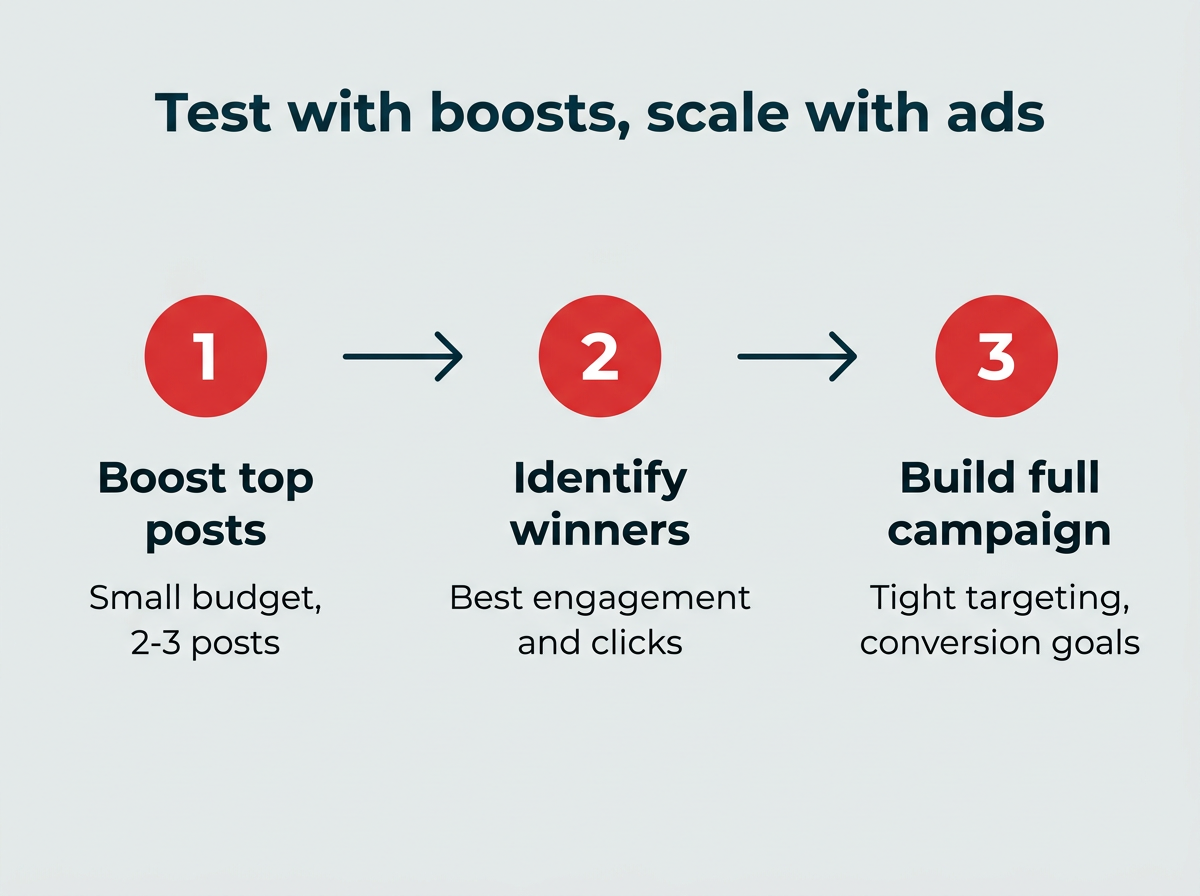
For example, you might boost three different LinkedIn posts about a new product feature with small budgets. The post that generates the most engagement and click-throughs tells you which angle to lead with in a full lead generation campaign.
This approach reduces wasted ad spend because you’re validating your messaging with real audience data before committing a larger budget. It also ensures your paid and organic strategies reinforce each other rather than competing for the same audience’s attention.
How to manage boosted posts and ads with Hootsuite
Boosting posts with Hootsuite
Boosting a post on Hootsuite is at least as easy as boosting it from the social platforms themselves, with the added benefit that you can boost posts for multiple platforms all from one screen.
You can also schedule boosted posts in advance, and even set automated triggers to boost posts automatically based on organic performance or specific keywords.

Your boosted posts appear in the same dashboard as your organic content, giving you a bird’s-eye view of your complete social calendar.
All you have to do is connect your social ad accounts to Hootsuite, then choose the posts you want to boost (or set the targets to boost automatically). Set your budget, target your audience, and your boosted post is good to go.
Tip: If you’re not sure where to start, try allocating a set weekly budget to boosted posts, then setting the automated triggers to promote your top content. This is a relatively hands-off way to expand your audience and start learning what results you can expect to see from your social ad spend.

Remember how we mentioned that there’s a 30% fee tacked on for posts boosted directly within iOS Meta apps? That fee does not apply when boosting posts through Hootsuite. No iOS service fee is one more reason to manage your boosts from a unified dashboard.
Running social ads with Hootsuite
Just like when you create your social ads within the various platforms’ native ads management tools, Hootsuite gives you more customization and targeting features when creating social ads than for a simple boosted post.
But unlike the social platforms’ native advertising tools, you can use Hootsuite Social Advertising to plan, create, manage, schedule, and report on all your paid and organic content for Facebook, Instagram, and LinkedIn without switching tabs. That unified dashboard means you can adjust your cross-platform social ads strategy on the fly, and even reallocate budget from one platform to another from just one screen.
Perhaps even more important, you can plan your social ads to complement your organic content, rather than compete with those organic views. And when you’re ready to check your results, you’ll get in-depth reporting that helps you learn and refine your strategy to increase your performance and ROI over time.
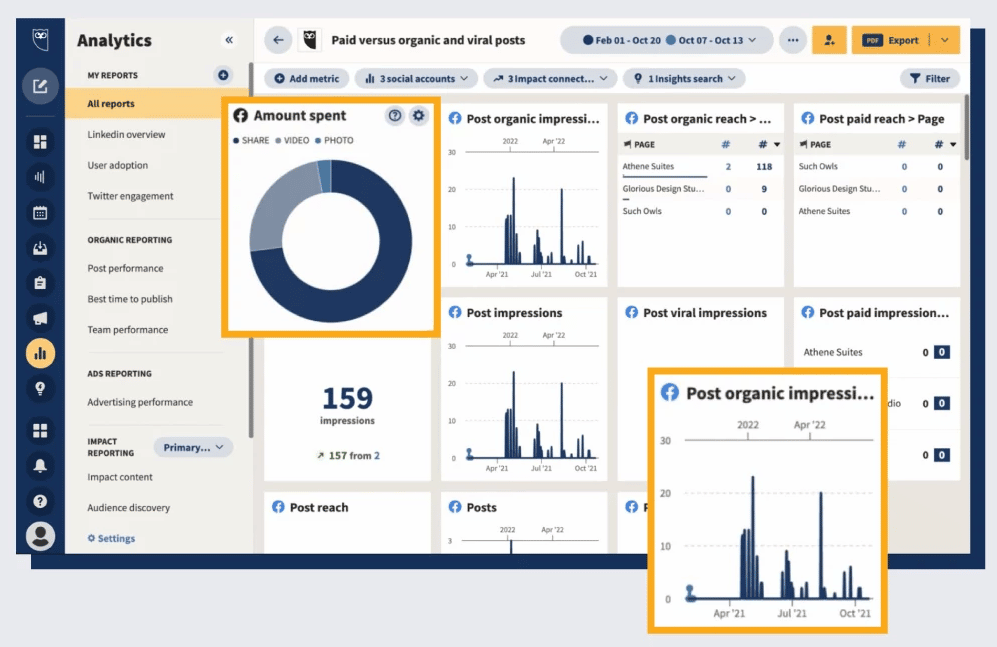
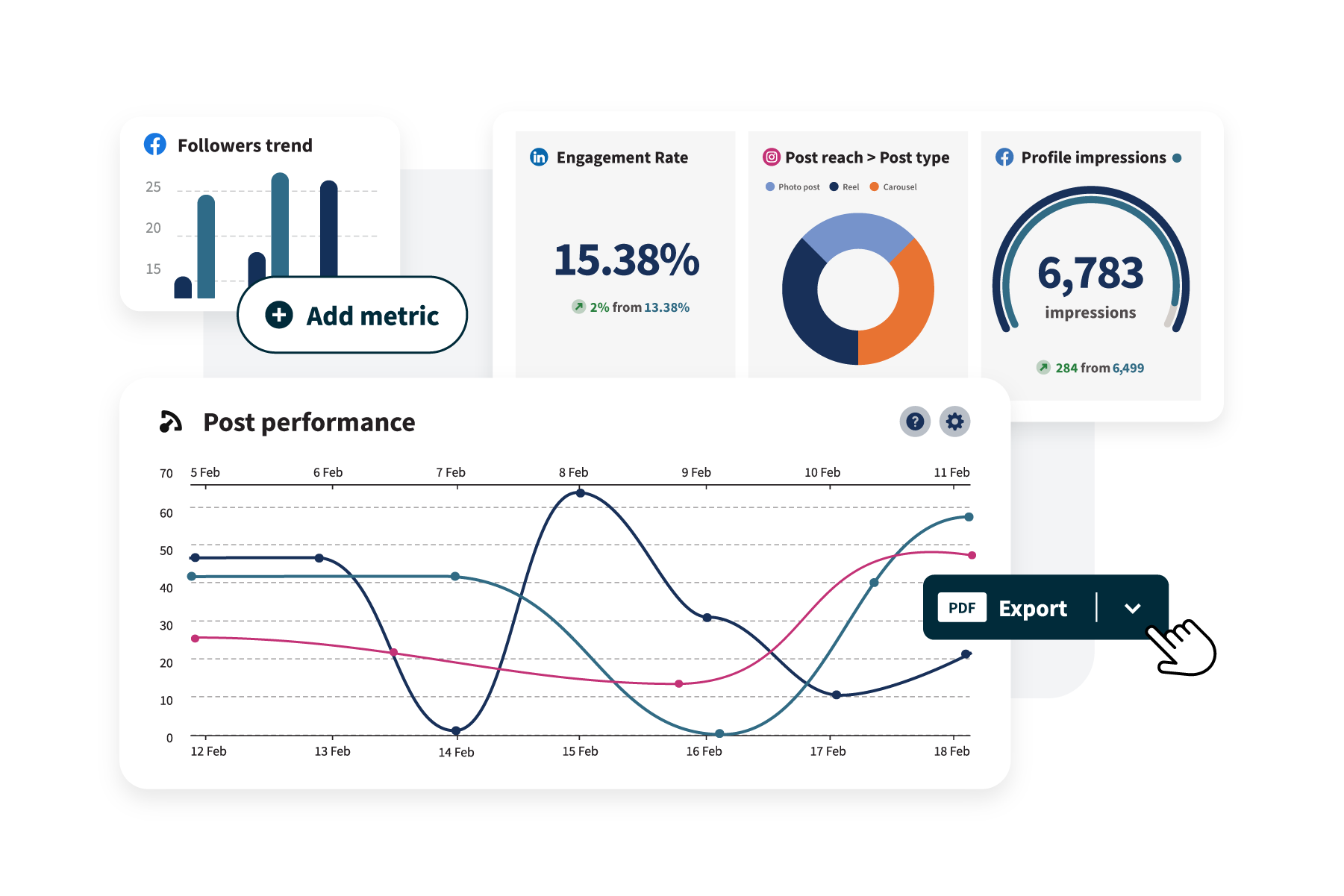
Hootsuite Advanced Analytics even reports on ROI specifically, so you can see exactly how much return you got for every dollar you spent on each social platform.
Frequently asked questions
Should I boost every high-performing organic post?
Not necessarily. While boosting high-performing organic posts can extend their reach, you should boost strategically based on your business goals. Posts that align with specific objectives like event promotion, product launches, or thought leadership are typically the best candidates for boosting. Consider setting up automated triggers in Hootsuite to boost posts that meet predefined engagement thresholds.
Can I convert a boosted post into a full ad campaign?
Yes, you can use insights from boosted posts to inform full ad campaigns. If a boosted post performs well, take the same creative concept, messaging, and audience signals and build a more sophisticated campaign in Ads Manager with conversion tracking, retargeting, and multiple ad variations. This approach lets you validate content before investing in larger campaigns.
How do I measure ROI for boosted posts vs. social ads?
Measuring ROI for boosted posts is more limited because they typically focus on engagement and awareness metrics rather than conversions. Social ads created in Ads Manager provide pixel-based conversion tracking and attribution, making it easier to connect ad spend to revenue. Tools like Hootsuite Advanced Analytics can help you compare ROI across both boosted posts and full ad campaigns in a single dashboard.
What’s the minimum budget needed to see results from social ads?
The minimum budget needed depends on your objective and platform. For Meta, plan to spend enough to generate at least 50 conversion events per week per ad set to exit the learning phase. For awareness campaigns, you can start smaller. LinkedIn typically requires higher budgets due to its professional audience, with a minimum of $10 per day for boosted posts. Start with test budgets and scale what works.
Can I boost posts on multiple platforms simultaneously?
Yes, especially when using a unified tool like Hootsuite Social Advertising. You can manage boosted posts across Facebook, Instagram, and LinkedIn from one dashboard, set cross-platform budgets, and compare performance without switching between native ad managers. This centralized approach saves time and provides better visibility into your overall paid social strategy.
Save time managing your social media marketing strategy with Hootsuite. Publish and schedule posts, find relevant conversions, measure results, and more — all from one dashboard. Try it free today.